Margins
The Margins put a border into the artwork itself. See how to size it, print it in one ink, a gradient or frames, and round the corners.
An artwork rarely fills its sheet. A Risograph does not print up to the edge of the paper, a print needs room to be handled and framed, and a border is often part of the picture. The Margins of the Editor put that border into the artwork itself: bare paper, a band of ink, a gradient or a set of frames, separated and exported with the rest.
The artwork of the split mode lessons in Classic CMYK (Aqua, Fluorescent Pink, Yellow, Black), print process Risograph, the mode as it opens. Then only the margins change. Coverage is measured on the whole sheet, margins included.
A border that belongs to the artwork.


Turn the margins on and the Editor reserves a band around the artwork. Leave it empty and you get the paper. Give it inks and it prints, as one or several plates of its own. Either way the band is part of the version: it shows in the preview, in the ink list, in the films and in the export.
The Margins card.
- In the right toolbar of the Editor, click Margin. The panel opens on the Margins card: its switch turns the band on and off.
- Inks chooses how many inks print in the band: BLANK for bare paper, then 1 to 8.
- Fit and Sync set the geometry, with Size or the four sides below them, in millimetres.
- Mask rounds the corners of the artwork.
- Each margin ink then has its own card under the first one, with its colour, its Style and its Opacity.
Inside the format, or around it.

- INSIDE keeps the format. The artwork is scaled down to fit inside the margins, never distorted. Use it when the paper size is given: this artwork stays 190 × 237 mm.
- AROUND keeps the artwork. It prints at its size and the margins are added around it: here the sheet becomes about 214 × 267 mm. Use it when the image size is given.
- The note under the sliders states the result: Format kept at… or Printed size…
- In both cases the inks of the artwork now cover less of the sheet: 68.3% inside and 70.5% around, against 89.3% without a margin.
One size, or four.
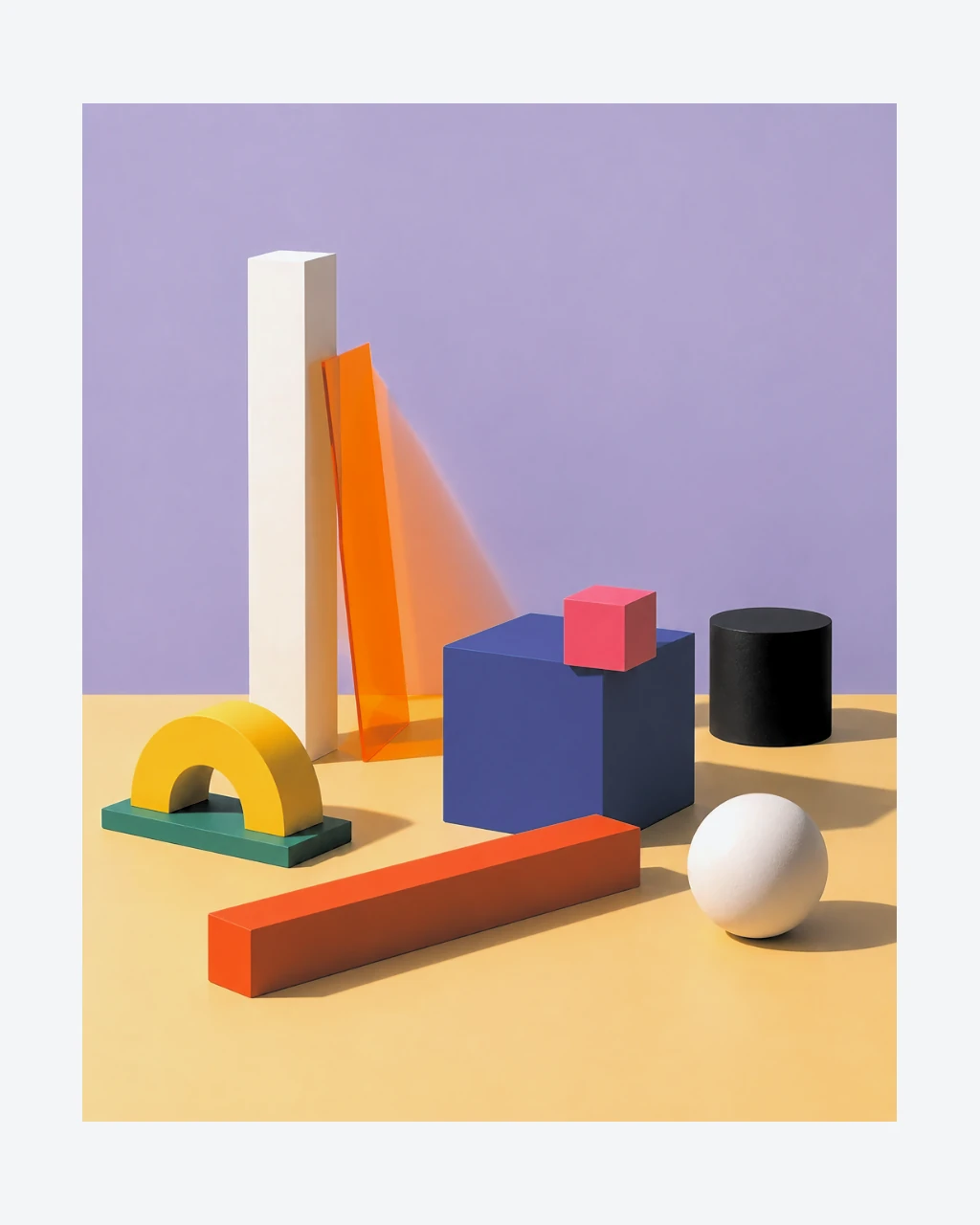
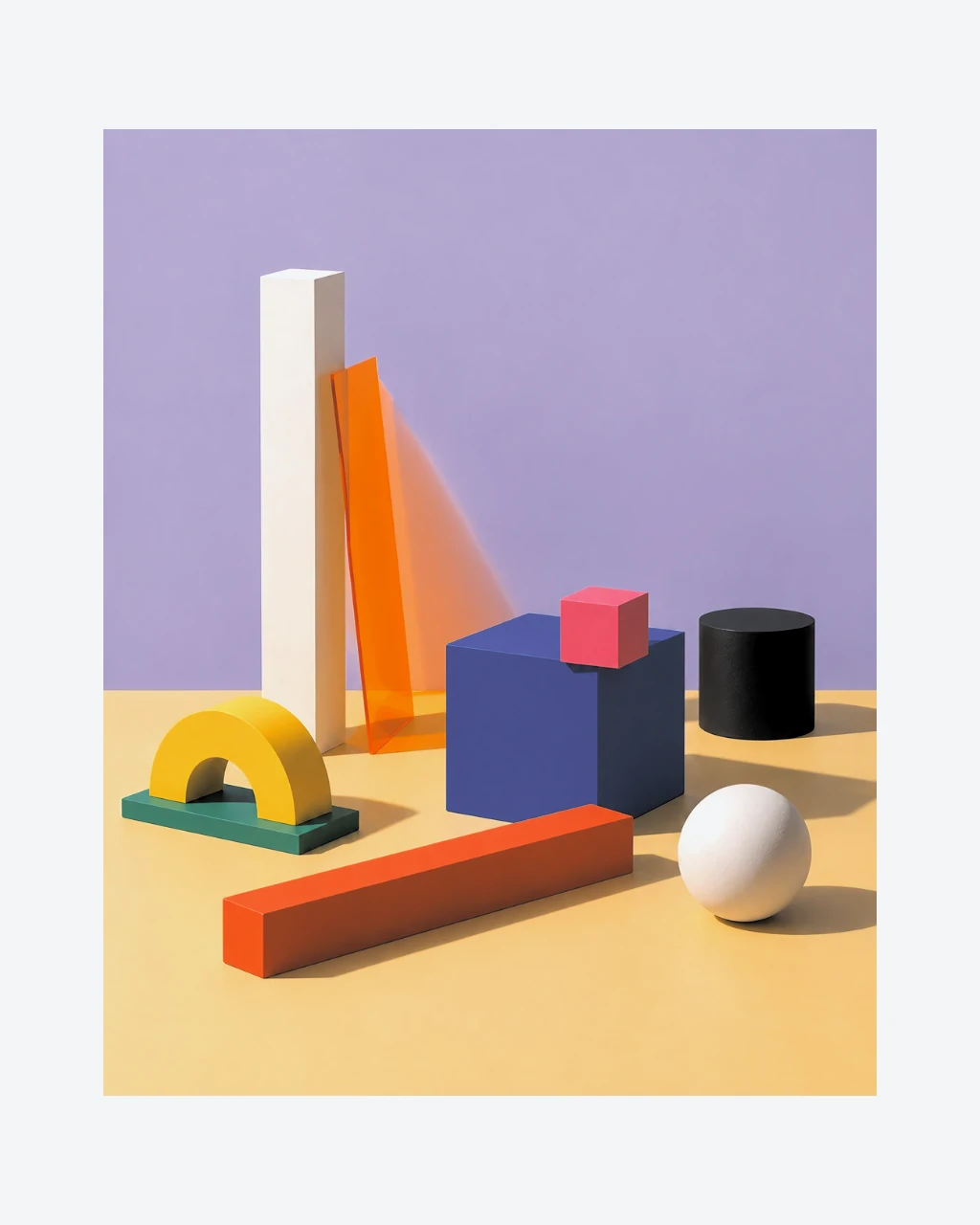
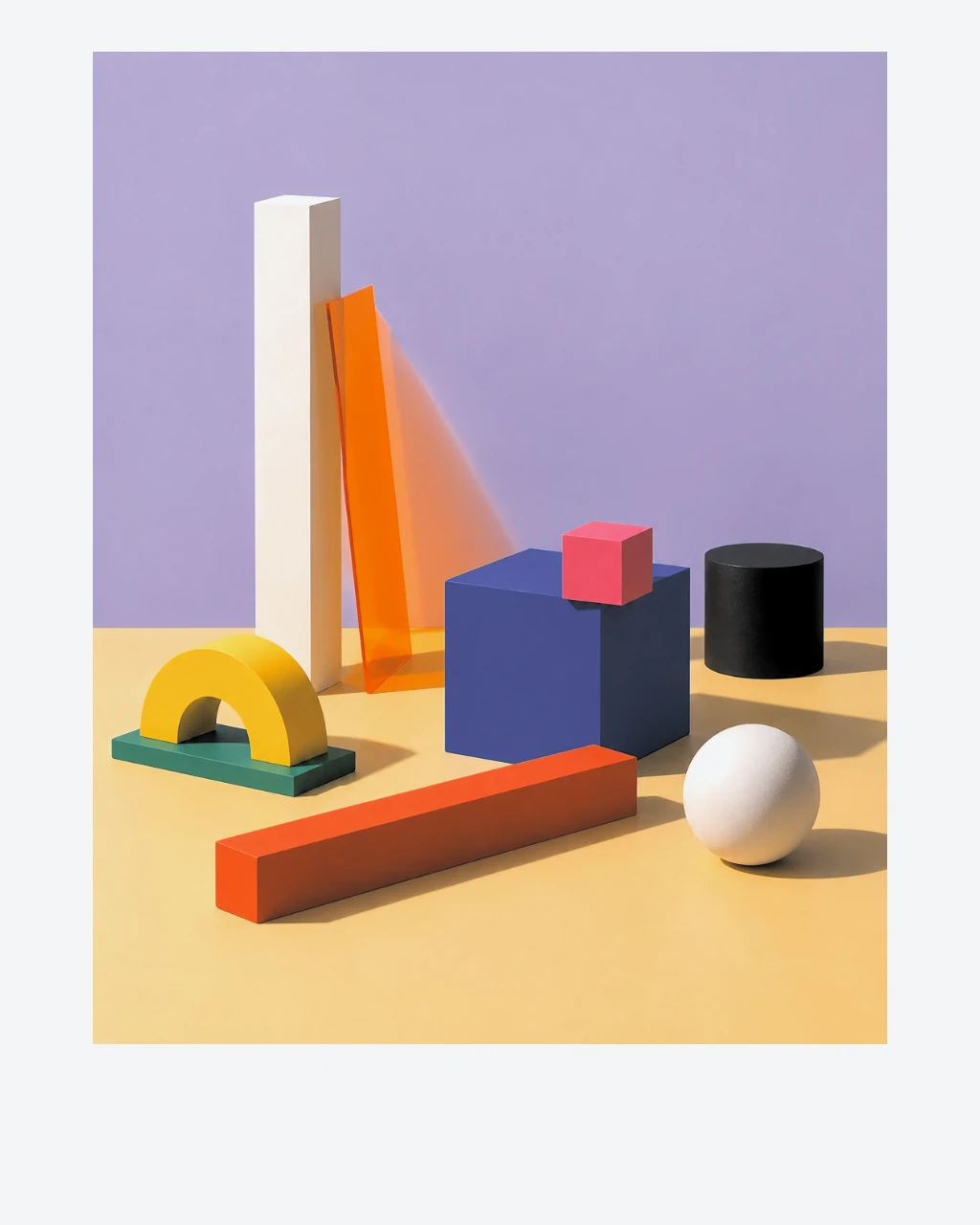
- RELATIVE applies Size to the long sides and less to the short ones, so the sheet and the artwork keep the same proportions. It is what a new margin starts with, together with INSIDE.
- EQUAL applies Size to the four sides.
- OFF frees the four sides: Top, Bottom, Left and Right. A deeper bottom margin leaves room for a title, a signature or a number.
A solid band.

- Click 1 and the band prints in one ink. Shadrum picks it among the inks of your plates; click Change color on its card to choose another one, or Random color to try your luck.
- A solid band is a lot of ink. This one, 15 mm wide, covers 23.5% of the sheet on its own, as much as a full plate of the artwork, and takes the sheet total from 68.3% to 91.7%.
- It does not have to cost a pass. Here the band uses the Yellow of the separation, so it prints on the Yellow plate: the card says Merged into Yellow. Click it to make it a Separate plate.
- No ink (paper) on a card leaves that band unprinted without deleting its settings.
A gradient.




- With two inks or more, the band becomes a gradient: each ink fades into the next. Gradient sets its direction, VERTICAL, HORIZONTAL or RADIAL, and NORMAL / REVERSE its sense.
- Under it, the pad places the gradient: one handle per ink (Offset), or the centre of a radial gradient (Center). Double-click a handle to put it back.
- Two inks sharing the band print half as much each: 11.8% and 11.8% here, for the same 91.7% in total. A radial gradient is not shared evenly: 17.9% of Aqua for 5.6% of Fluorescent Pink.
- The two inks overprint where they meet: halfway, pink and aqua give a violet.
Lines instead of a band.



- On the card of a margin ink, Style switches it from GRADIENT to FRAME: a line of that ink around the artwork, with a Width and a Gap.
- Position anchors the frame. ARTWORK hugs the artwork, and each next frame goes around the previous one. EDGE runs along the sheet edge, each next frame inside the previous one. MIDDLE centres the frames in the margin.
- Frames and gradient mix: the inks left in GRADIENT fill what the frames leave free.
- Frames ask for far less ink than a band: 83.7% for the sheet with two frames, against 91.7% with the solid Yellow.
Rounded corners.


Mask › ROUNDED cuts the corners of the artwork. Radius sets the curve, and Rounded corners chooses which of the four corners are rounded. The margin fills what the mask removes: paper with a blank margin, ink with a printed one.
A frame for a poster, air for a photograph.

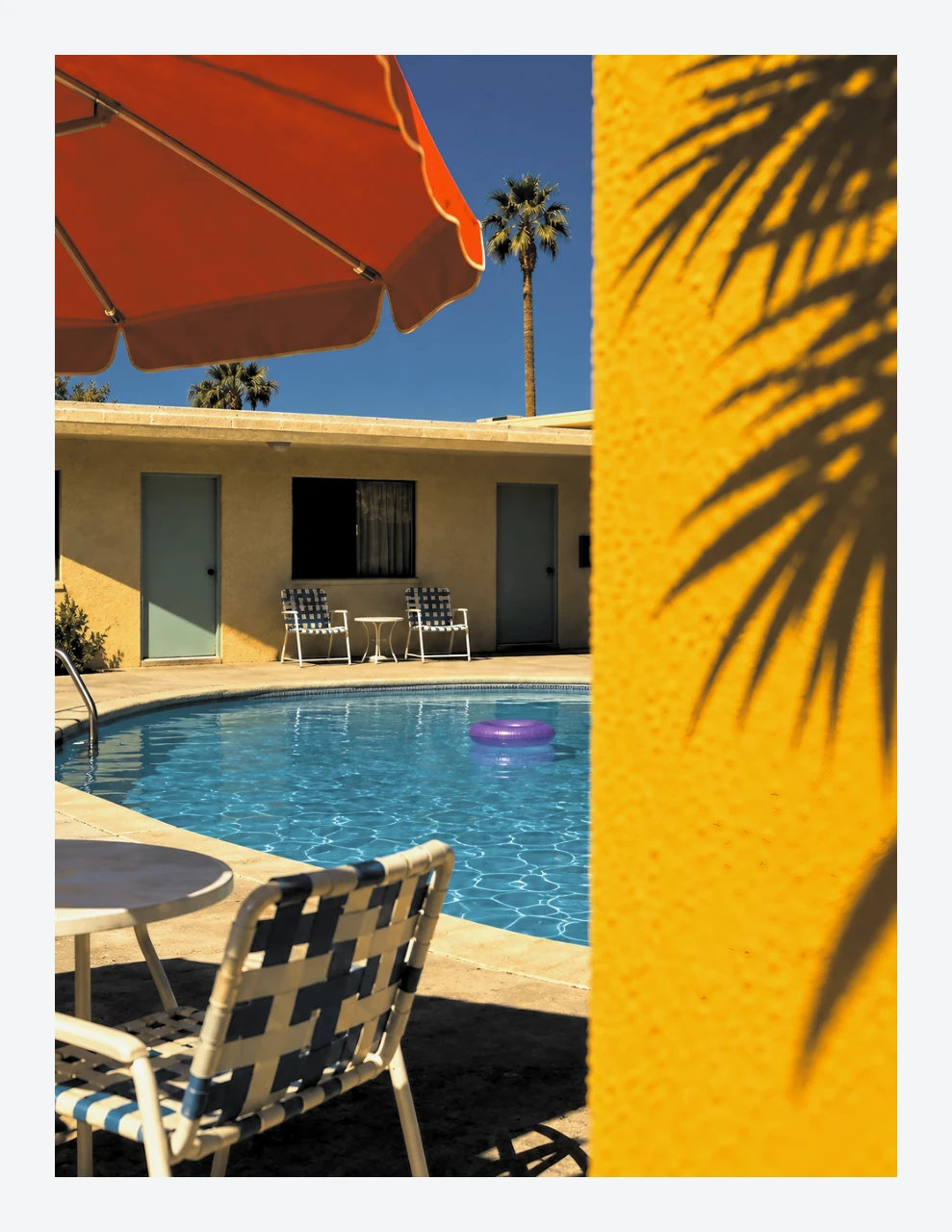
A poster that runs black to its edge needs paper around it to exist on the sheet. A thin frame in one of its own inks finishes it: the Fluorescent Pink is already on a plate, so the frame costs nothing. A photograph that runs to the edge gains from a plain paper margin, and AROUND adds it without making the image any smaller.
What a margin costs in ink.
| Margin | Margin inks | Artwork inks | Sheet total |
|---|---|---|---|
| No margin | none | 89.3% | 89.3% |
| Paper, INSIDE | none | 68.3% | 68.3% |
| Paper, AROUND | none | 70.5% | 70.5% |
| One ink | Yellow 23.5% | 68.3% | 91.7% |
| Two inks, VERTICAL | Fluorescent Pink 11.8% · Aqua 11.8% | 68.3% | 91.7% |
| Two inks, RADIAL | Fluorescent Pink 5.6% · Aqua 17.9% | 68.3% | 91.7% |
Three habits.
- Start with a paper margin. It gives the print its edge, keeps ink away from the edge of the sheet, and costs nothing.
- Before you print a band, look at the total. A full band of ink is heavy. A frame gives the colour with much less ink.
- Pick margin inks among the inks of your plates whenever you can: no extra master, no extra pass.
A margin ink that keeps its own plate is a pass like the others: its card reads M1, M2… in Print Pass, and it can go anywhere in the order.